Setup Mesos
Configure Mesos
We need to provide IP / hostname information to the mesos slave system (as we did for mesos master)
On each agent, run the following commands:
#On slave1:
printf "10.2.10.40" | sudo tee /etc/mesos-slave/ip
cp /etc/mesos-slave/ip /etc/mesos-slave/hostname

#On slave2:
printf "10.2.10.50" | sudo tee /etc/mesos-slave/ip
cp /etc/mesos-slave/ip /etc/mesos-slave/hostname
Install and setup docker
We have to install docker-engine on the agents to be able to run docker containers
on each agent, do the following:
sudo apt-key adv --keyserver hkp://ha.pool.sks-keyservers.net:80 --recv-keys 58118E89F3A912897C070ADBF76221572C52609D

printf "deb https://apt.dockerproject.org/repo ubuntu-xenial main" | sudo tee /etc/apt/sources.list.d/docker.list

sudo apt-get update


#For Ubuntu Trusty, Wily, and Xenial, it’s recommended to install the linux-image-extra-* kernel packages. The linux-image-extra-* packages allows you use the aufs storage driver.

sudo apt-get install -y linux-image-extra-$(uname -r) linux-image-extra-virtual

sudo apt-get install -y docker-engine
Once this is done, docker should be up and running already.
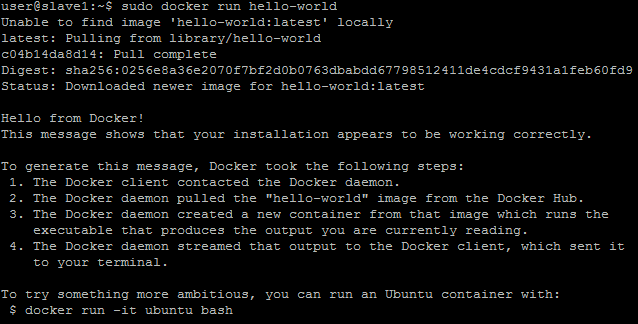
To test that it was launched successfully, you may use the command on one or all the agents
sudo docker run --rm hello-world
This will download a test image automatically and launch it. You should have things appearing on your terminal. Once it is done, the container will stop automatically and be deleted (done by the –rm parameter)
We need to allow mesos and docker containers in mesos. Execute the following commands on all agents
printf 'docker,mesos' | sudo tee /etc/mesos-slave/containerizers

#Increase the timeout to 10 min so that we have enough time to download any needed docker image
printf '10mins' | sudo tee /etc/mesos-slave/executor_registration_timeout