Connecting to LAB
Note
- The instructor will provide the necessary details to connect to lab environment.
- For this lab, all activities will be performed from the Jumpbox.
Warning
For MAC user, it is recommended to use Microsoft Remote Desktop. You may not be able to access your jumpbox otherwise. It is available in the App store (FREE).
Change keyboard input
The default keyboard mapping is set to english. If you need to change it, here is the method
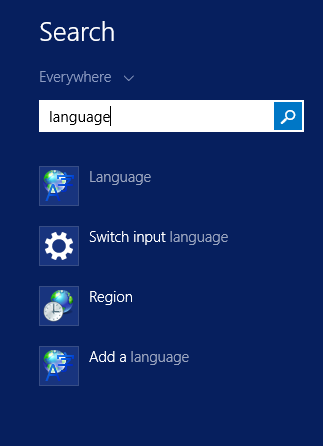
- Click on the start menu button and type ‘Language’ in the search field.
- Click on ‘Language’ option in the search list
- Click on ‘Add a language’
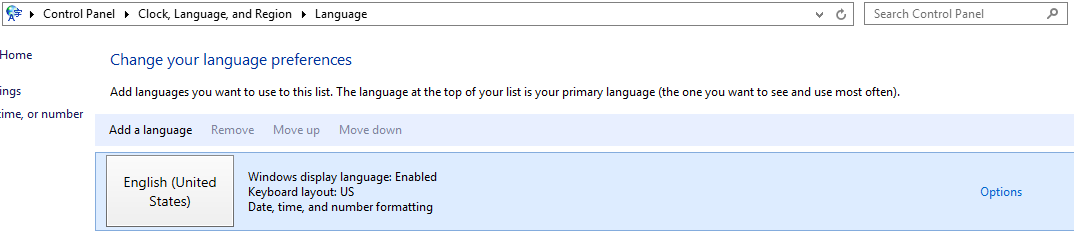
- Add the language you want to have for your keyboard mapping.
Applications used during lab exercises
Once you have established remote access to your lab environment, launch Google Chrome and mRemoteNG (both have shortcuts on the desktop and taskbar).
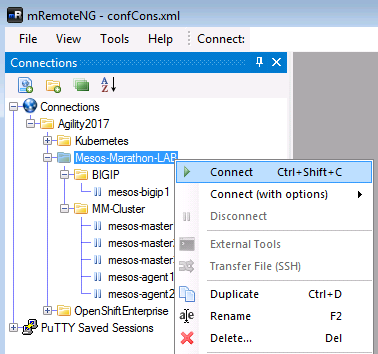
- mRemoteNG has shortcuts pre-defined within the application. To open terminal access to everything in the lab, right click on the Mesos-Marathon-LAB folder and click ‘Connect’.
Next, you can go directly to the container connector section: Overview of F5® Container Connector (CC)