F5 Container Connector with RedHat OpenShift
F5 OpenShift Origin Container Integration
Red Hat’s OpenShift Origin is a containerized application platform with a native Kubernetes integration. The BIG-IP Controller for Kubernetes enables use of a BIG-IP device as an edge load balancer, proxying traffic from outside networks to pods inside an OpenShift cluster. OpenShift Origin uses a pod network defined by the OpenShift SDN.
The F5 Integration for Kubernetes overview describes how the BIG-IP Controller works with Kubernetes. Because OpenShift has a native Kubernetes integration, the BIG-IP Controller works essentially the same in both environments. It does have a few OpenShift-specific prerequisites.
Today we are going to go through a prebuilt OpenShift environment with some locally deployed yaml files. The detailed OpenShift-specifics: please view F5 documentation http://clouddocs.f5.com/containers/v1/openshift/index.html#openshift-origin-prereqs
Review BIG-IP configuration
The BIG-IP we are working on has been licensed, and only these following commands below has been issued in the CLI so we have a very new/basic BIG-IP configured.
License BIG-IP

tmsh create net vlan internal interfaces add {1.2}

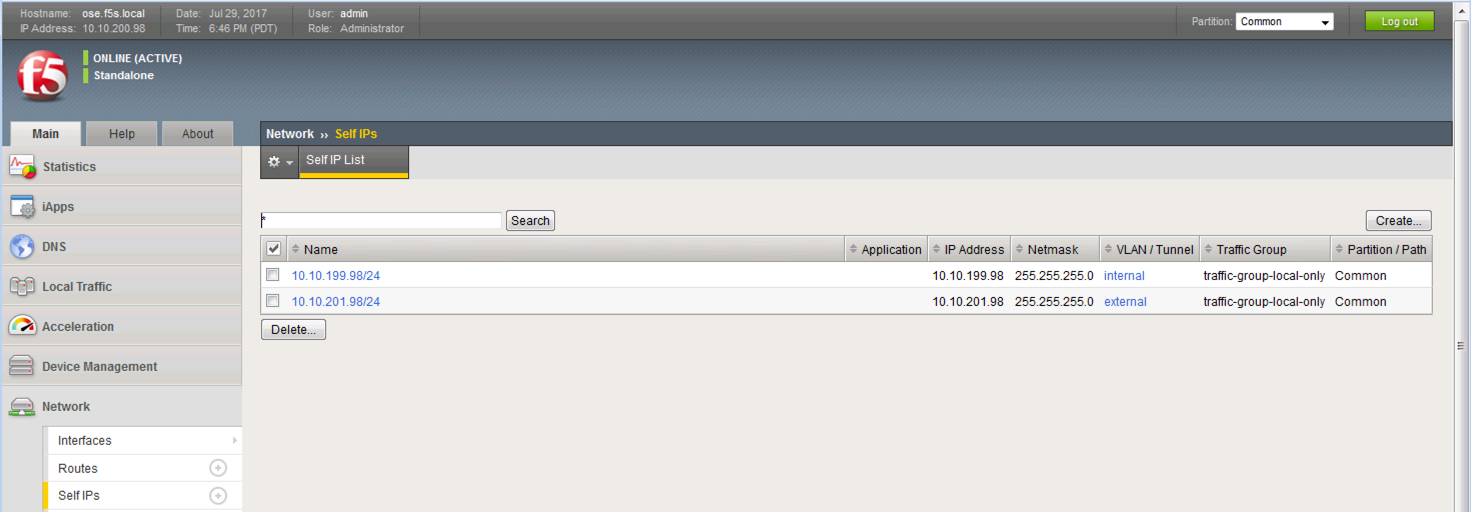
tmsh create net self 10.10.199.98/24 vlan internal

tmsh create net vlan external interfaces add {1.1}

tmsh create net self 10.10.201.98/24 vlan external

tmsh create auth partition kubernetes

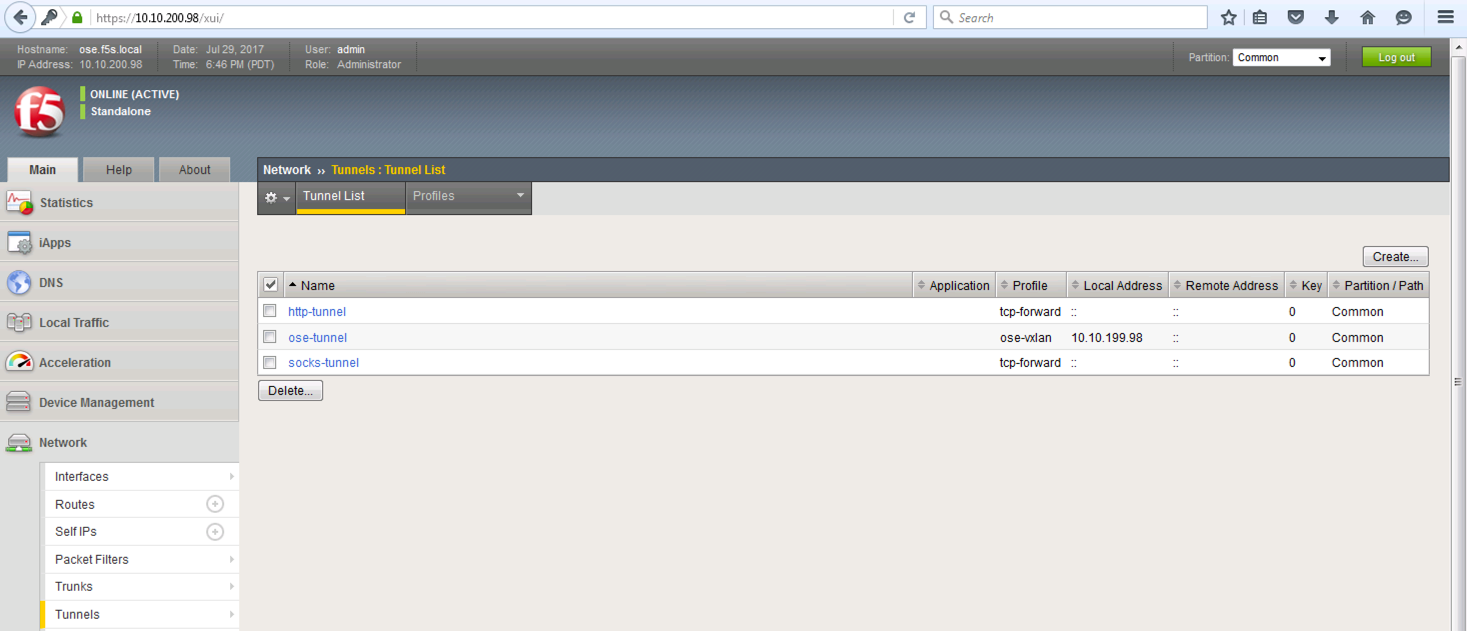
tmsh create net tunnel vxlan ose-vxlan {app-service none flooding-type multipoint}

tmsh create net tunnel tunnel ose-tunnel {key 0 local-address 10.10.199.98 profile ose-vxlan}

tmsh save sys config
NOTE typically the command below is entered after running the ”oc create -f f5-hostsubnet.yaml” command coming up in the next section (This is the range the self ip should come from, to make this lab quicker we have already done this tmsh command)
tmsh create net self <IP>/subnet vlan <tunnel>

tmsh create net self <IP>10.131.0.98/14 vlan ose-tunnel
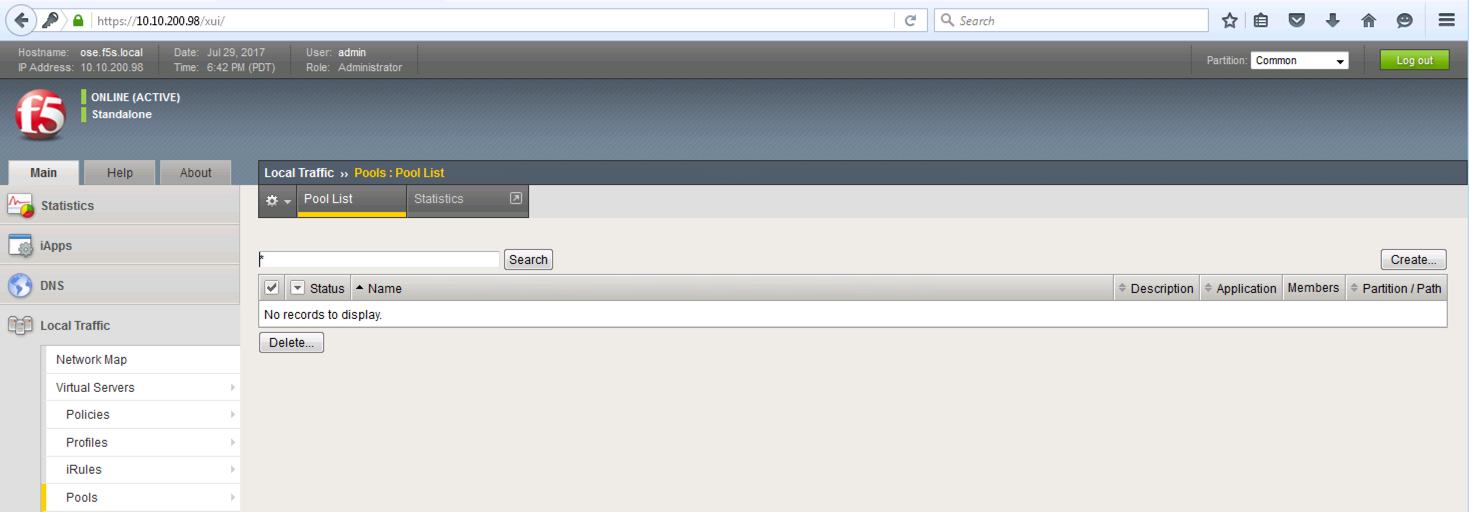
Let’s validate your BIG-IP is just configured with VLANs, Self-IPs. No no Virtual Servers and no Pools
Connect to your BIG-IP on https://10.10.200.98 and familiarize yourself with the the current VLAN’s. Proceed to Network -> VLAN.

Go to Local Traffic -> Network -> Self-IP. You should have an internal and external SELF-IPs
Jump to Local Traffic -> Network -> Tunnel. You should see something similar to this:
Lastly, validate there are no Virtual Servers and no Pools. Go to Local Traffic -> Virtual Servers and then Pools.
Last example we can see that there is no pool members defined.
Great let’s jump to the next section to work on the OpenShift CLI