ASP and Marathon ASP Controller Usage
The F5 Marathon ASP Controller instance has been deployed. Now we need to test our setup. To do so, we will setup a backend application that will be reached by the frontend application.
Warning
Make sure that mesos-dns is running. To check you may go to the Marathon UI and check the status of the application “mesos-dns”. If it’s not running, click on restart to re-initialize it

To deploy the backend application, connect to the Marathon UI and click on “Create Application”
{
  "container": {
    "docker": {
      "portMappings": [
        {
          "servicePort": 31899,
          "protocol": "tcp",
          "containerPort": 80,
          "hostPort": 0
        }
      ],
      "privileged": false,
      "image": "10.2.10.10:5000/f5-demo-app",
      "network": "BRIDGE",
      "forcePullImage": true
    },
    "type": "DOCKER",
    "volumes": []
  },
  "mem": 128,
  "labels": {
    "asp": "enable",
    "ASP_COUNT_PER_APP": "2"
  },
  "env": {
      "F5DEMO_APP": "backend"
  },
  "cpus": 0.25,
  "instances": 1,
  "upgradeStrategy": {
    "maximumOverCapacity": 1,
    "minimumHealthCapacity": 1
  },
  "id": "my-backend"
}
You should see the following applications be created:
- Your “my-backend” application
- Another application created with 2 instances called : asp-my-backend. This is your ASP instances deployed in front of your application. You can see that 2 instances were deployed (done via the ASP_COUNT_PER_APP label)
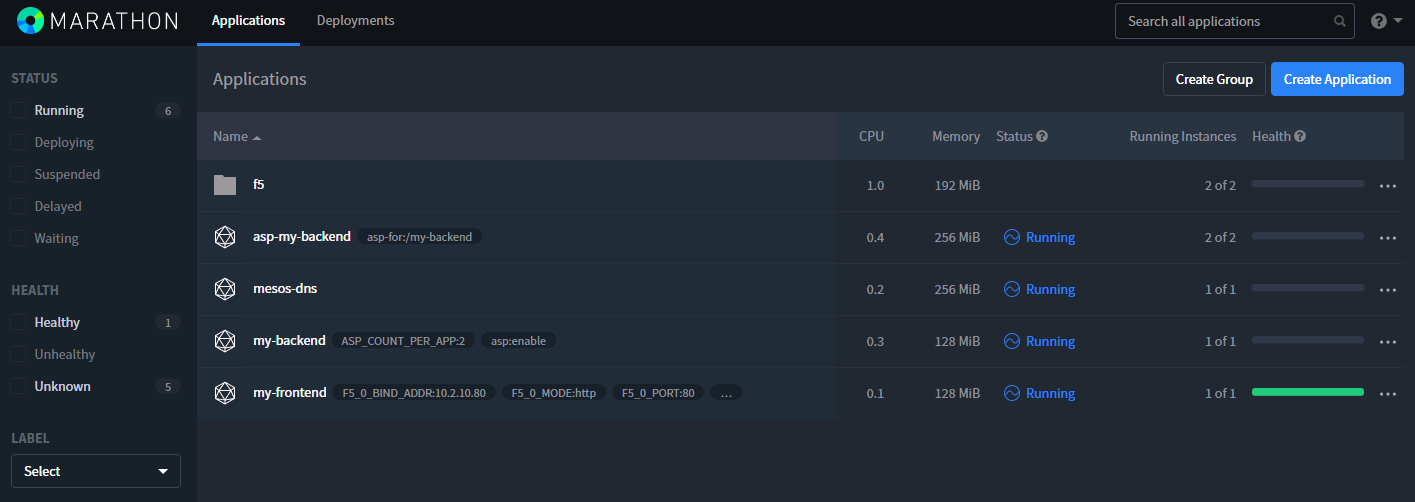
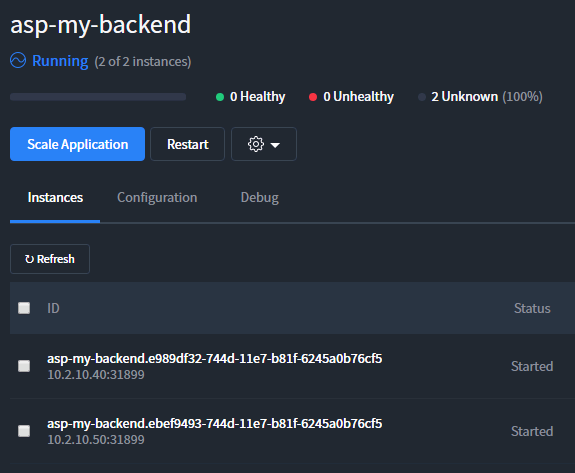
To test your ASP instances, go to the Marathon UI > Application > asp-my-backend. Here you will see that 2 instances are deployed, click on the link specified for each of them:
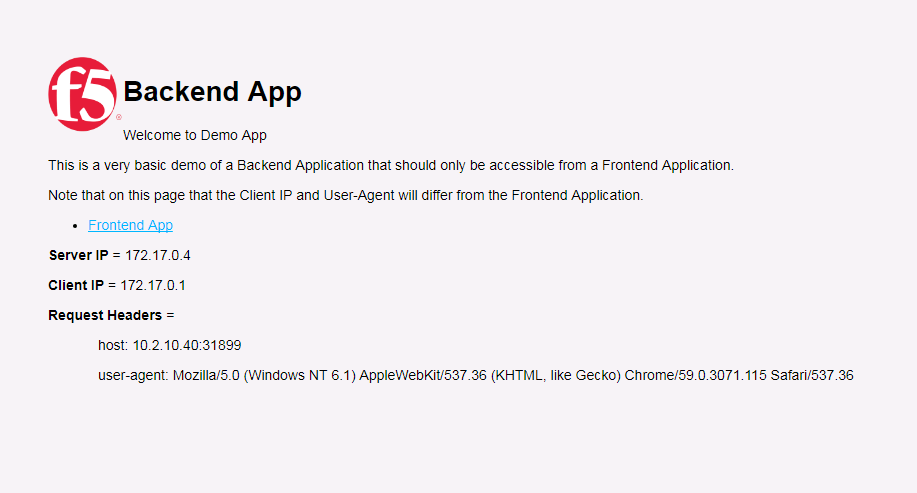
If you are connected to the backend instances, it works as expected:
Note
Notice that the user-agent is your browser’s agent as expected.
Now that our backend is deployed and fronted successfully by ASP, we should try to access it from the frontend application.
Go back to your frontend application on http://10.2.10.80. On this page you have a link to the backend, click on it.
You should see something like this:
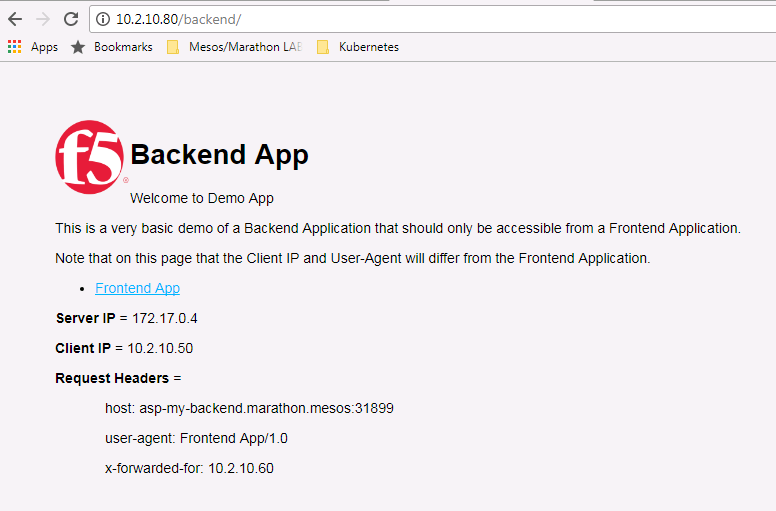
On this page you may see the following information:
- host header: the host is asp-my-backend. This is the DNS name for our cluster of ASP instances.
- user-agent: We can see that the request came from the frontend application
- x-forwarded-for: the request was coming from the BIG-IP (it does SNAT)